
Annotated screenshots for useful bug reports

A good screenshot helps someone find the problem before they reproduce it. Page to Image captures the page as you see it and lets you mark the affected area before attaching a file to your bug report.

Reproduce the visible problem

Open the page at the viewport size where the issue occurs. Capture the visible area for a layout defect, a selected area for a broken component, or the full page when position and surrounding content matter. Leave sticky-element hiding off if the bug involves a header, banner, or overlay.

Mark the symptom precisely

Crop to a useful amount of context and add an arrow, rectangle, or short note. For an overlapping label, show both the label and the element it covers. For missing content, include the surrounding section so the developer knows where to look. Review the capture for information you do not want to share.

Attach the evidence and reproduction steps

Save the screenshot as PNG or JPEG, then attach it to your issue tracker. Add the page URL, browser version, viewport size, steps to reproduce, and expected behavior in the report. Page to Image supplies the visual evidence; it does not automatically collect console logs, network requests, or reproduction steps.
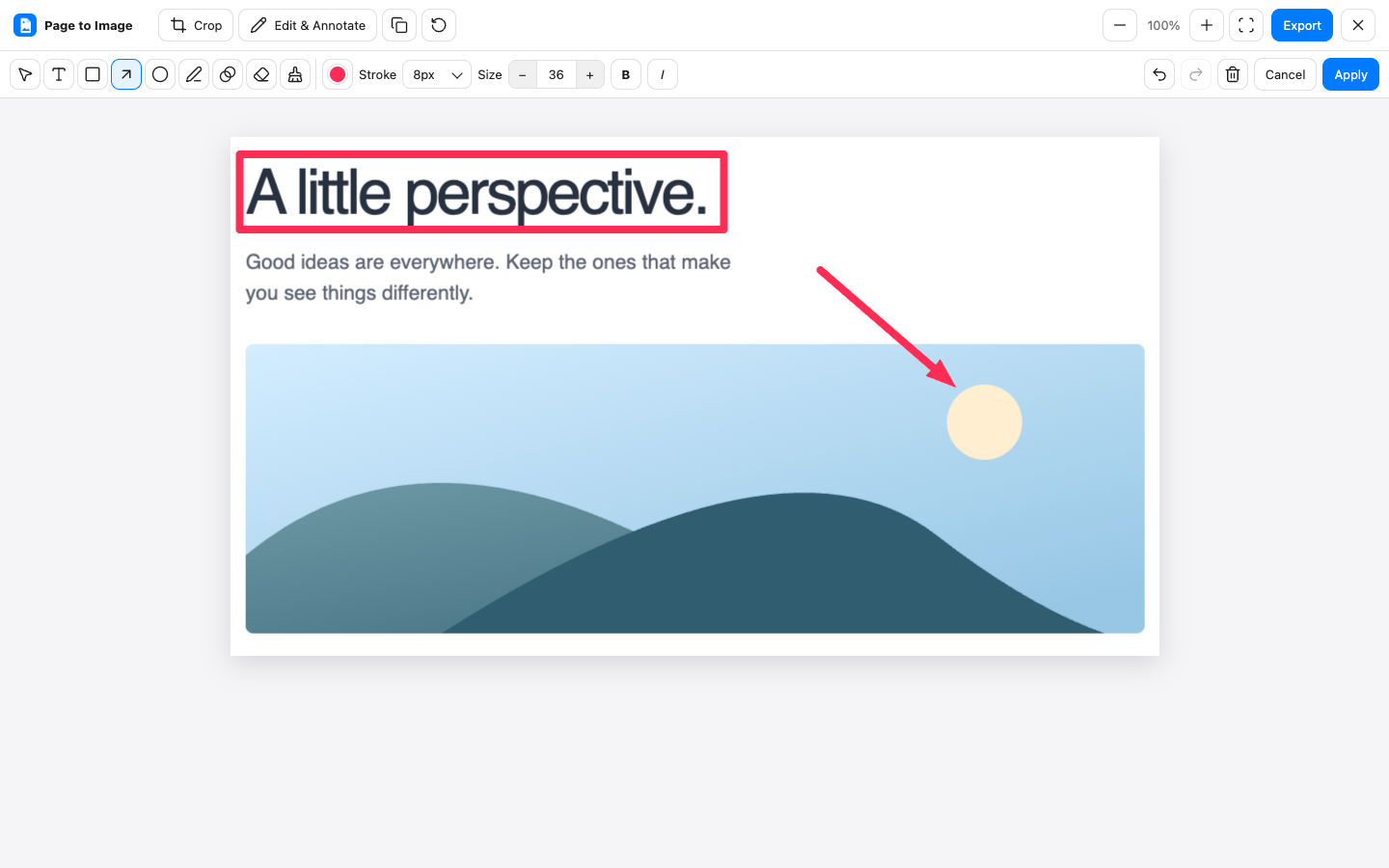
Page to Image review editor with a rectangle and arrow annotating a cropped webpage
Crop, annotate, and export in Capture review.

Common questions

Does Page to Image send issues to Jira or GitHub?

No direct issue-tracker integration is required or included in this workflow. Export the file and attach it to the issue yourself, or paste a supported capture from the clipboard.

Can I capture browser settings or developer tools?

Browsers restrict extension capture on internal pages, extension stores, and developer tools. Use an operating-system screenshot tool for those surfaces.

Can it show an intermittent interaction bug?

It can capture a visible state, but it does not record video. Include written steps or a separate screen recording when the sequence of actions is essential.